
How to Add Regional Pricing to Your Teachable Courses
Losing sales from international students because your course is too expensive in their country? Here's how to show location-based discounts on your Teachable courses in 5 minutes.
For the general guide that works on any website, see Country-Based Pricing: The Ultimate Guide. Why this works: Why Your Online Business Needs Parity Pricing.
Why International Students Aren't Buying
Your $99 course might be affordable in the US, but in countries like India, Brazil, or the Philippines, that same price represents 10-15% of someone's monthly income. You're not losing sales because your course isn't valuable - you're losing them because of purchasing power differences. Most potential students are not going to ask for a discount, they will just silently bounce.
The Solution: Parity Pricing Banners
Instead of manually creating different coupon codes or managing multiple pricing schemes, you can show smart discount banners based on where your visitors are located. When someone from Brazil visits your course page, they see a 30% discount offer. Someone from the US sees your regular price.
This is called parity pricing (or purchasing power parity), and course creators using this strategy report 20-30% increases in international sales.
How to Set It Up on Teachable (5 minutes)
What you need:
- Your Teachable admin access
- A free account at Evendeals.com
- 5 minutes
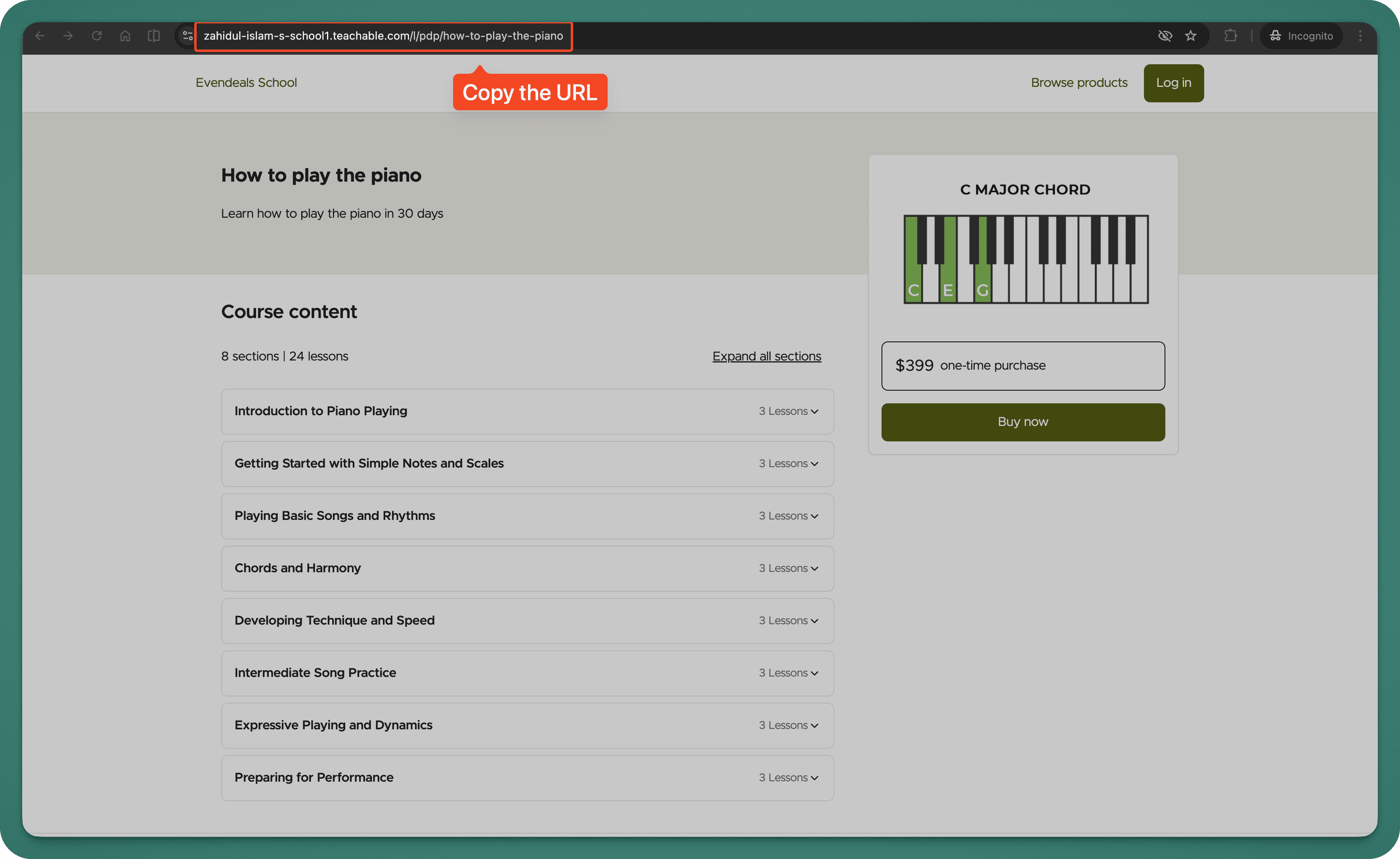
Step 1: Get Your Course URL from Teachable
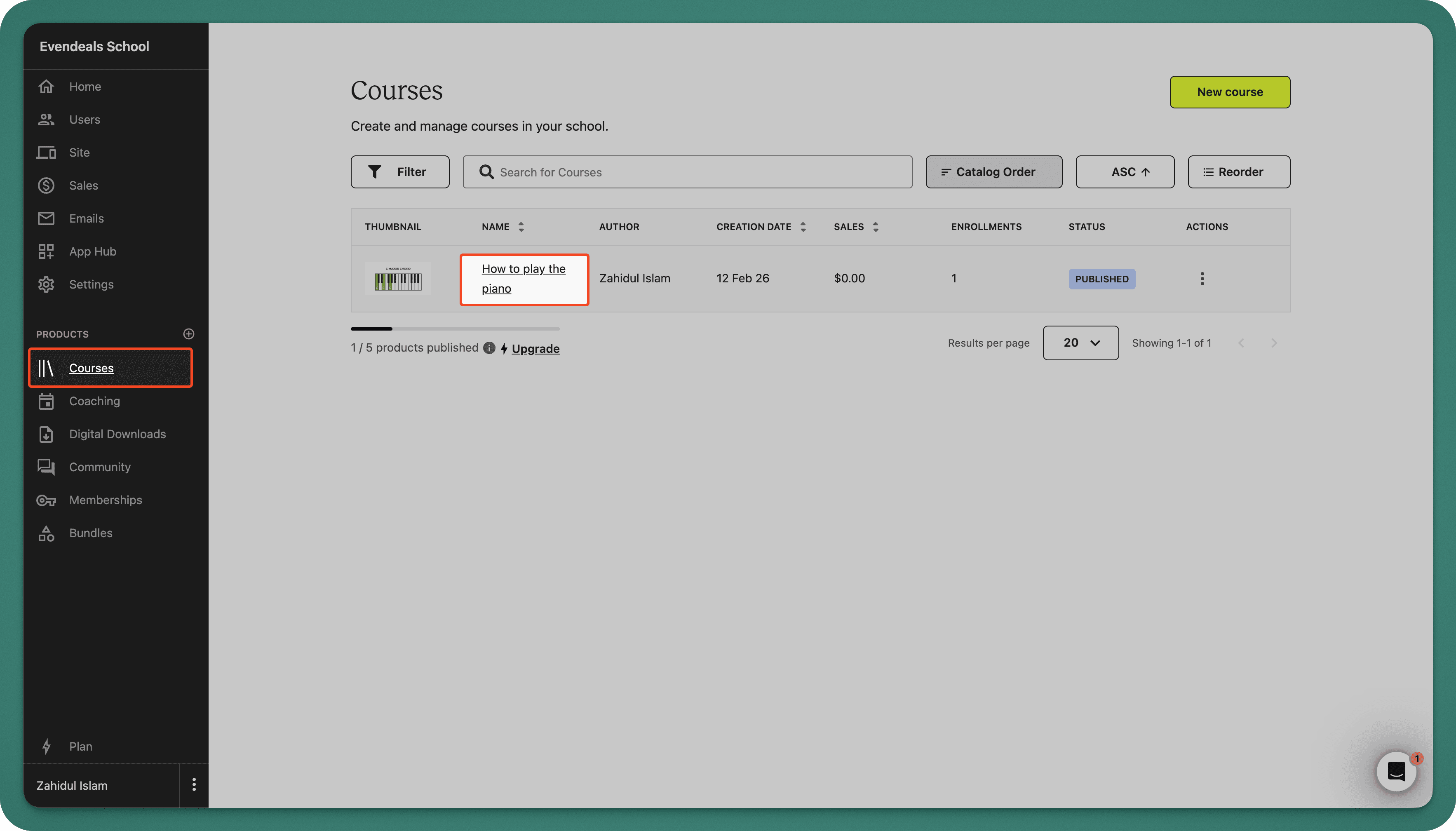
- Go to your Teachable admin dashboard
- Navigate to your course page.
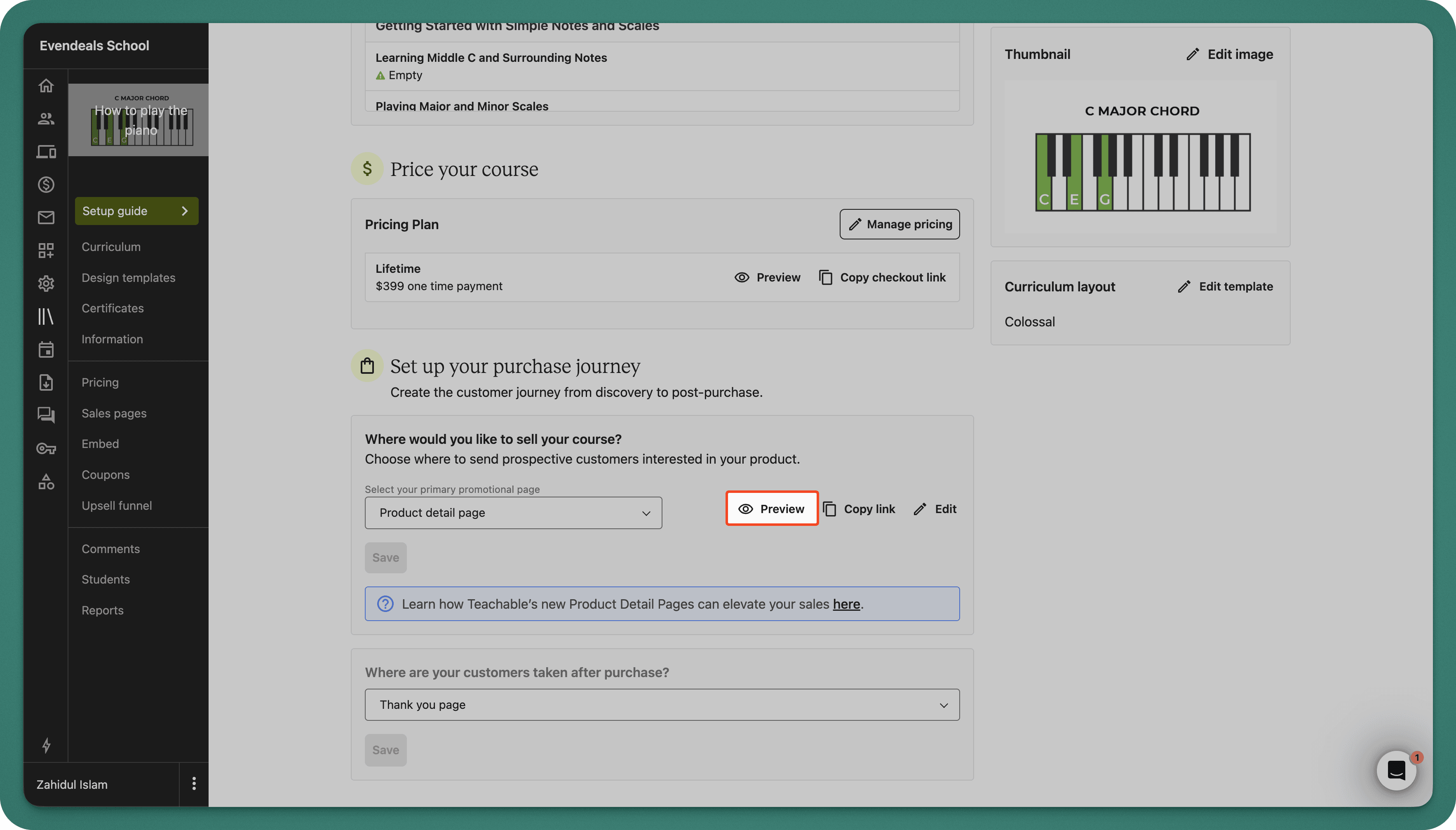
- Select the course you want to promote and scroll down to find the 'Set up your purchase journey' section.
- Click on the Preview button
- Copy your course sales page URL (e.g.,
https://your-school.teachable.com/p/your-course) from the address bar
Step 2: Set Up Evendeals
- Sign up at evendeals.com (free account available)
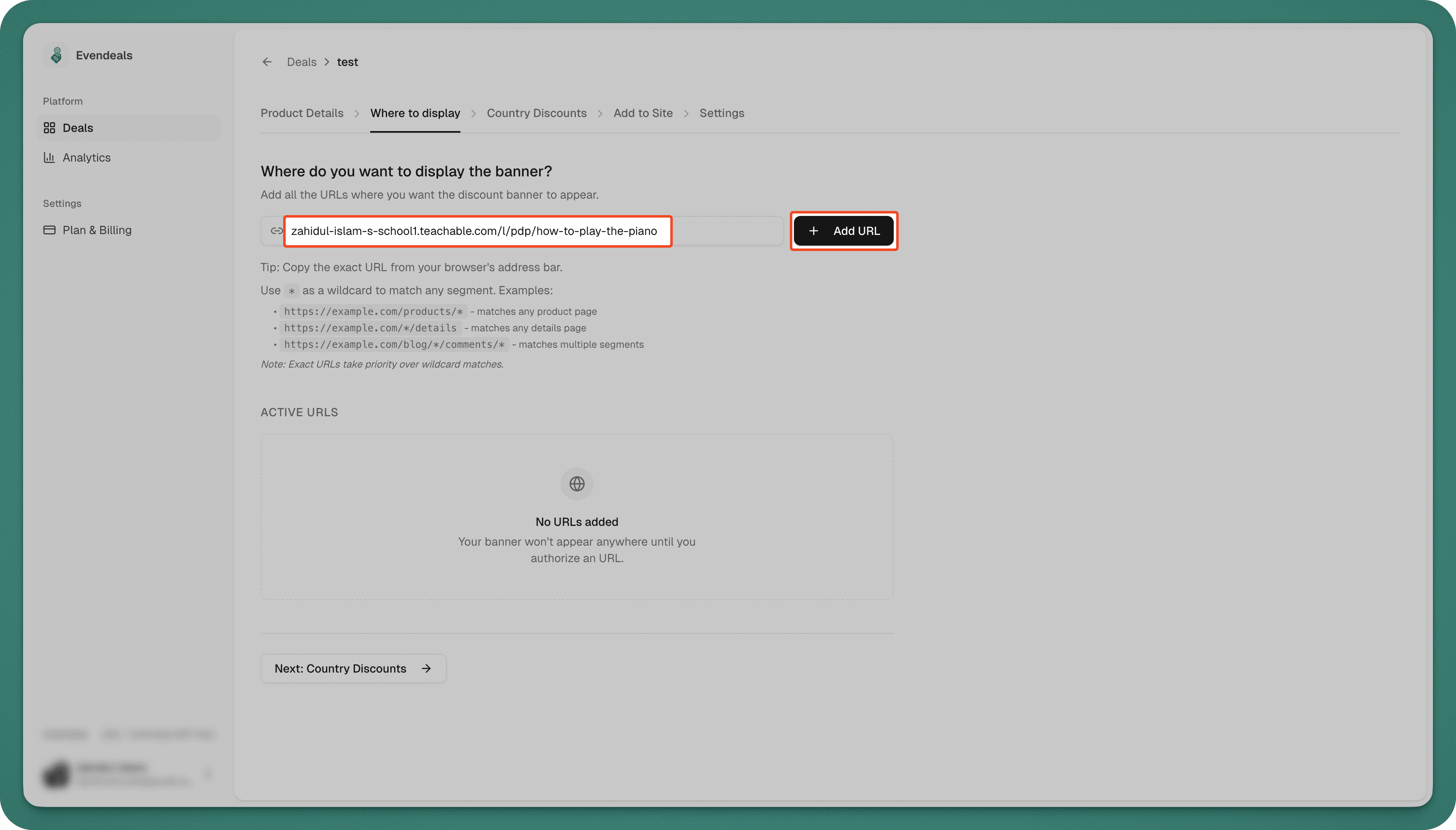
- Create a new deal and go to Where to display
- Paste your Teachable course URL
- Click Add URL
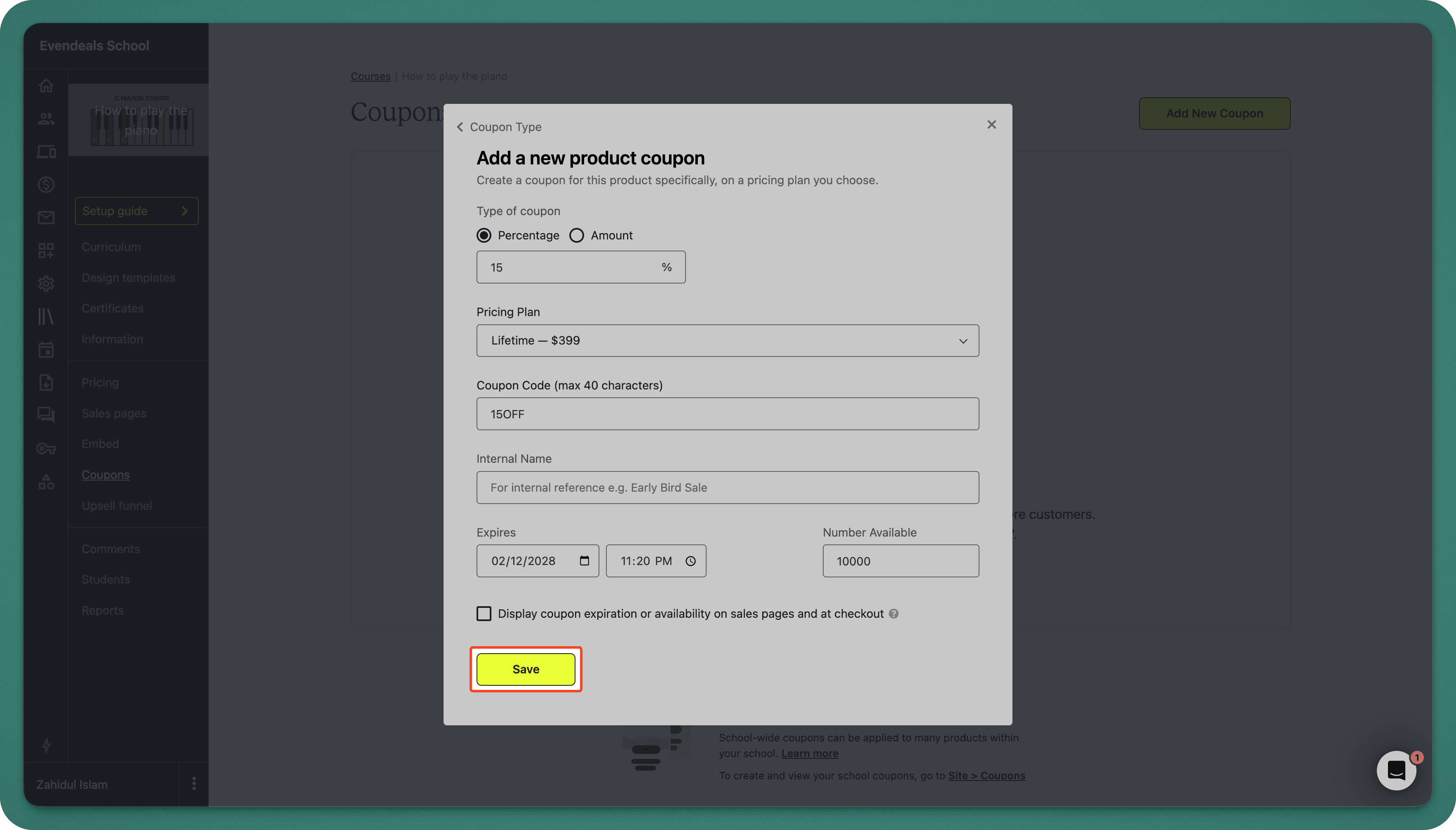
Step 3: Create Coupons in Teachable
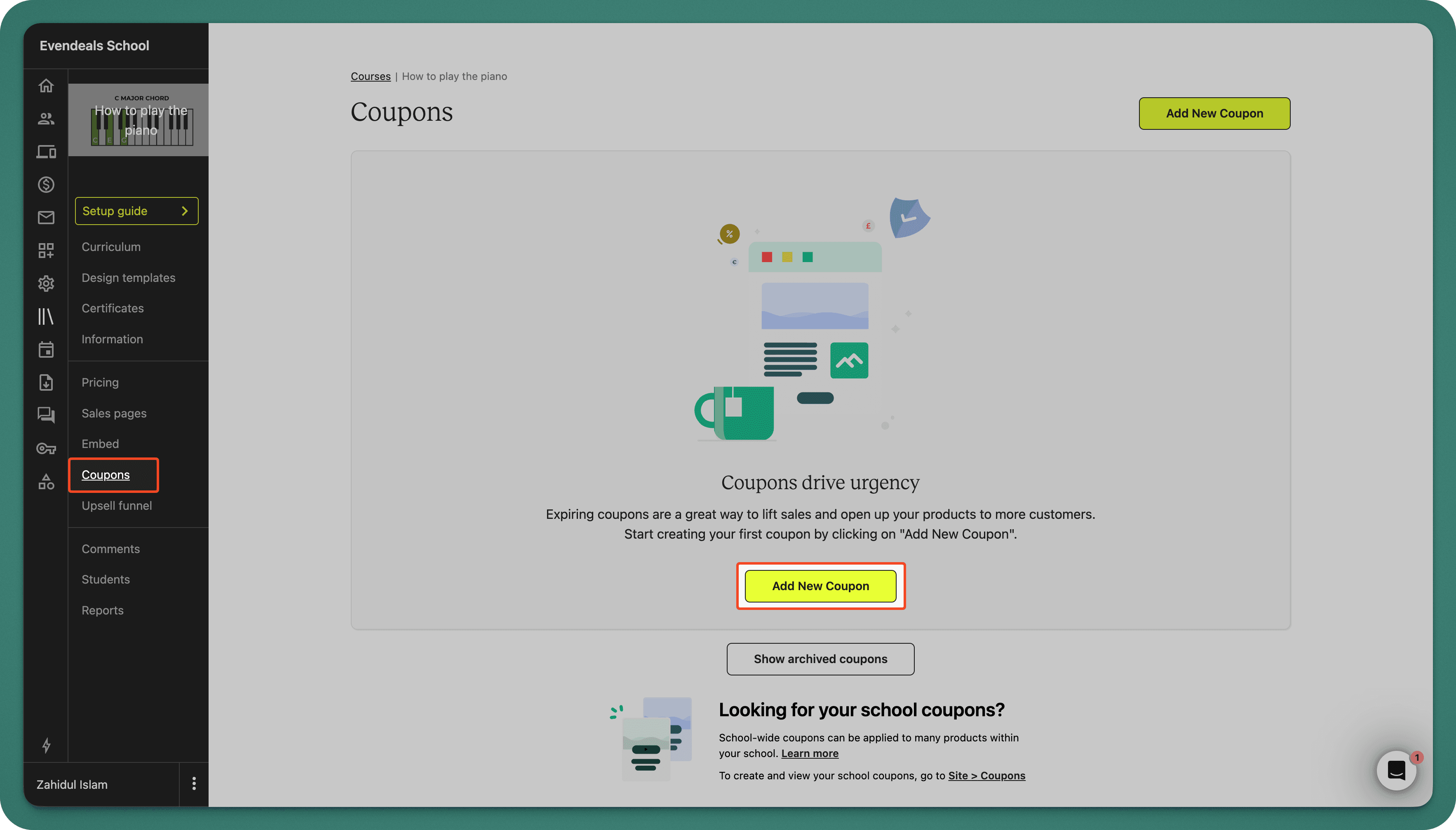
- In Teachable, go to Coupons in your admin sidebar
- Click on Add New Coupon
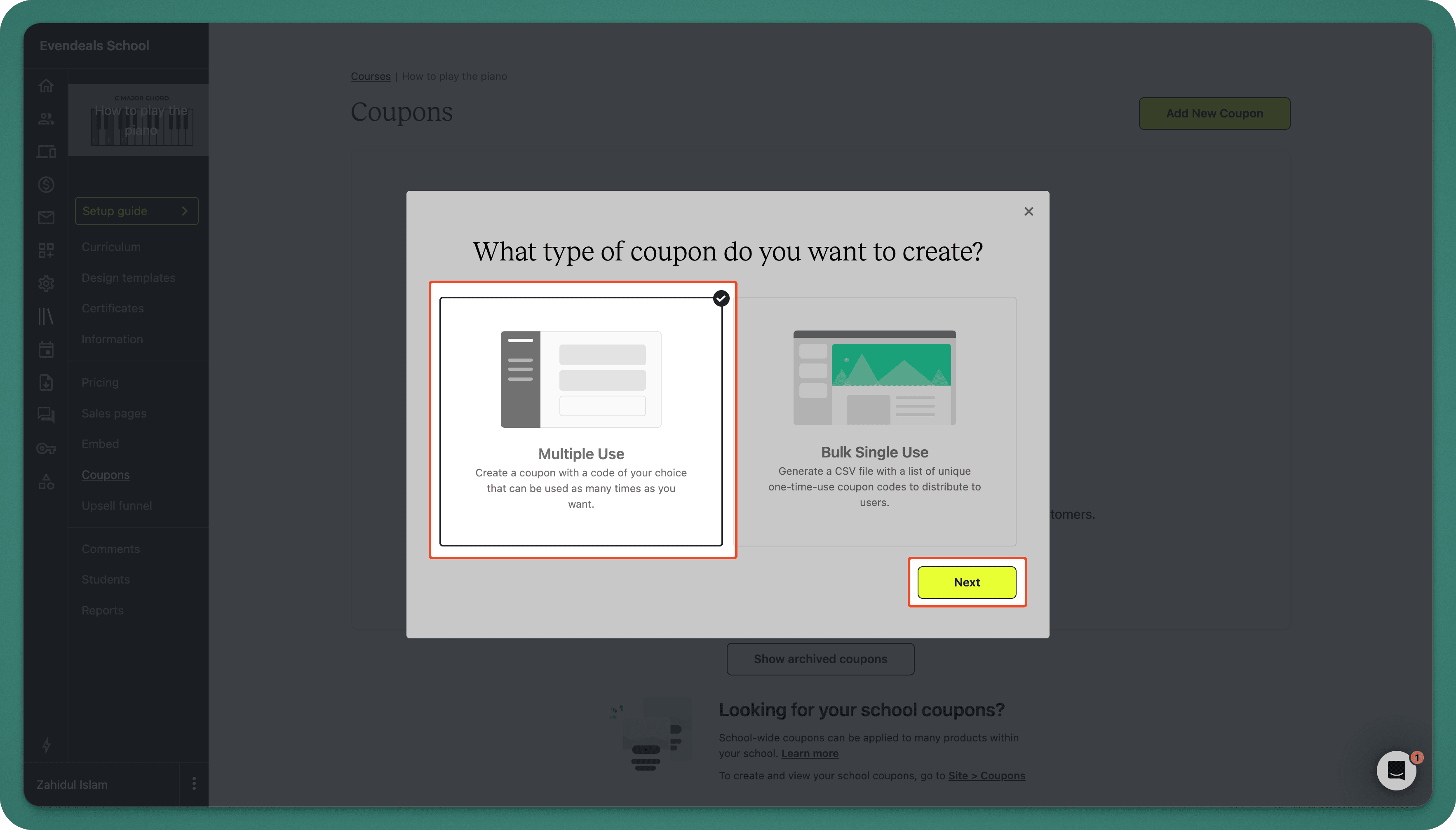
- Select Multiple Use
- Create coupon codes for different regions. Use can use both percentages and amounts. For example:
- Code:
15OFF- Discount: 15% - Code:
FIVEDOLLARSOFF- Discount: $5 - Code:
50OFF- Discount: 50%
- Code:
- Set the coupon to apply to your course
- Save each coupon
Step 4: Configure Country Discounts in Evendeals
- Go to Country Discounts in Evendeals
- Set discount percentages for each country group:
- Group 0.2-0.3: 15% with code
15OFF - Group 0.3-0.4: 30% with code
30OFF - Group 0.4-0.5: 50% with code
50OFF
- Group 0.2-0.3: 15% with code
- Click Save Changes
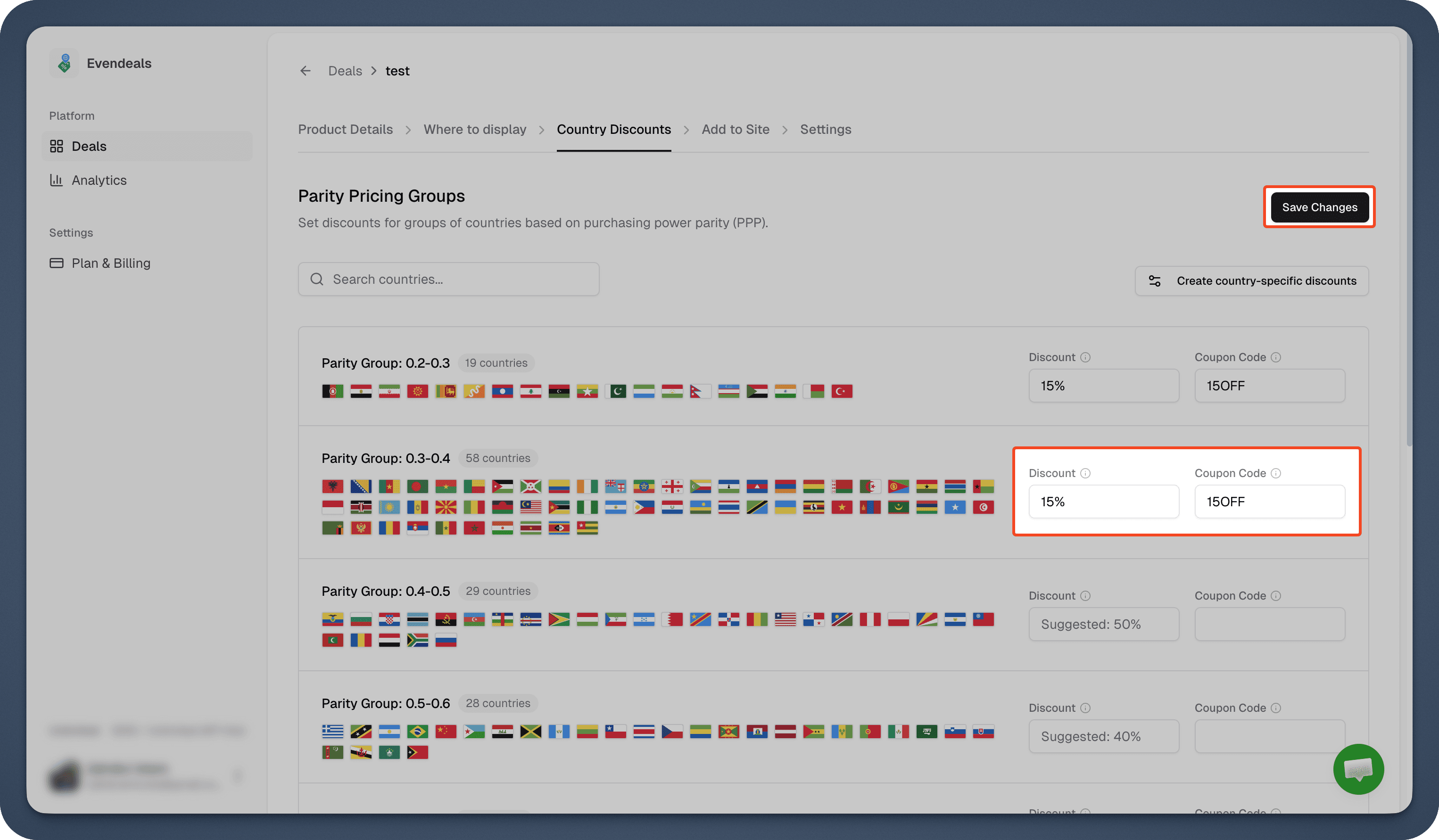
Note: The coupon codes must match exactly what you created in Teachable.
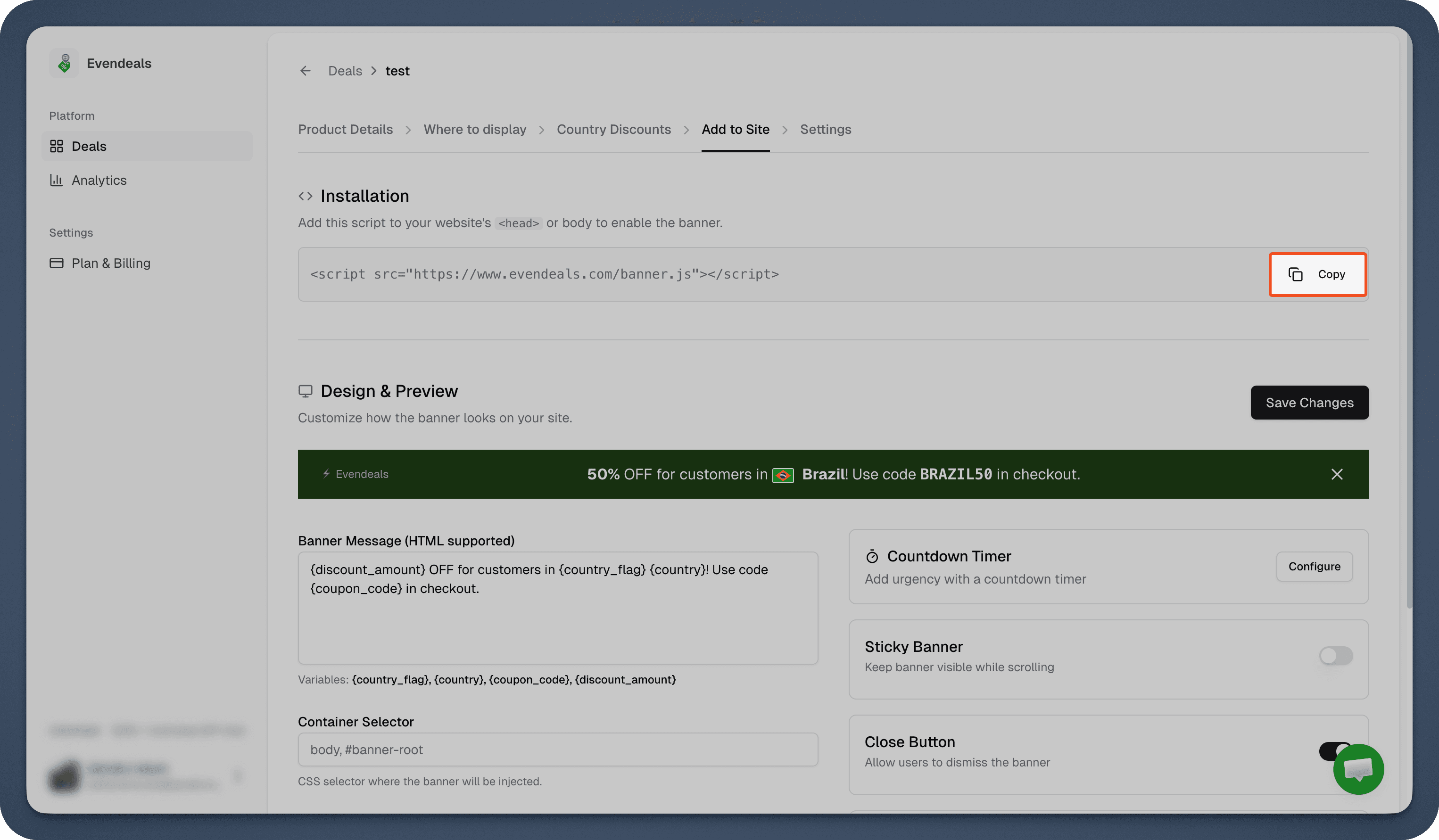
Step 5: Customize Your Banner
- Go to Add to Site tab in Evendeals
- Design your banner:
- Customize colors to match your Teachable site
- Edit the banner message
- Preview how it looks
- Copy the installation script
Step 6: Install on Teachable
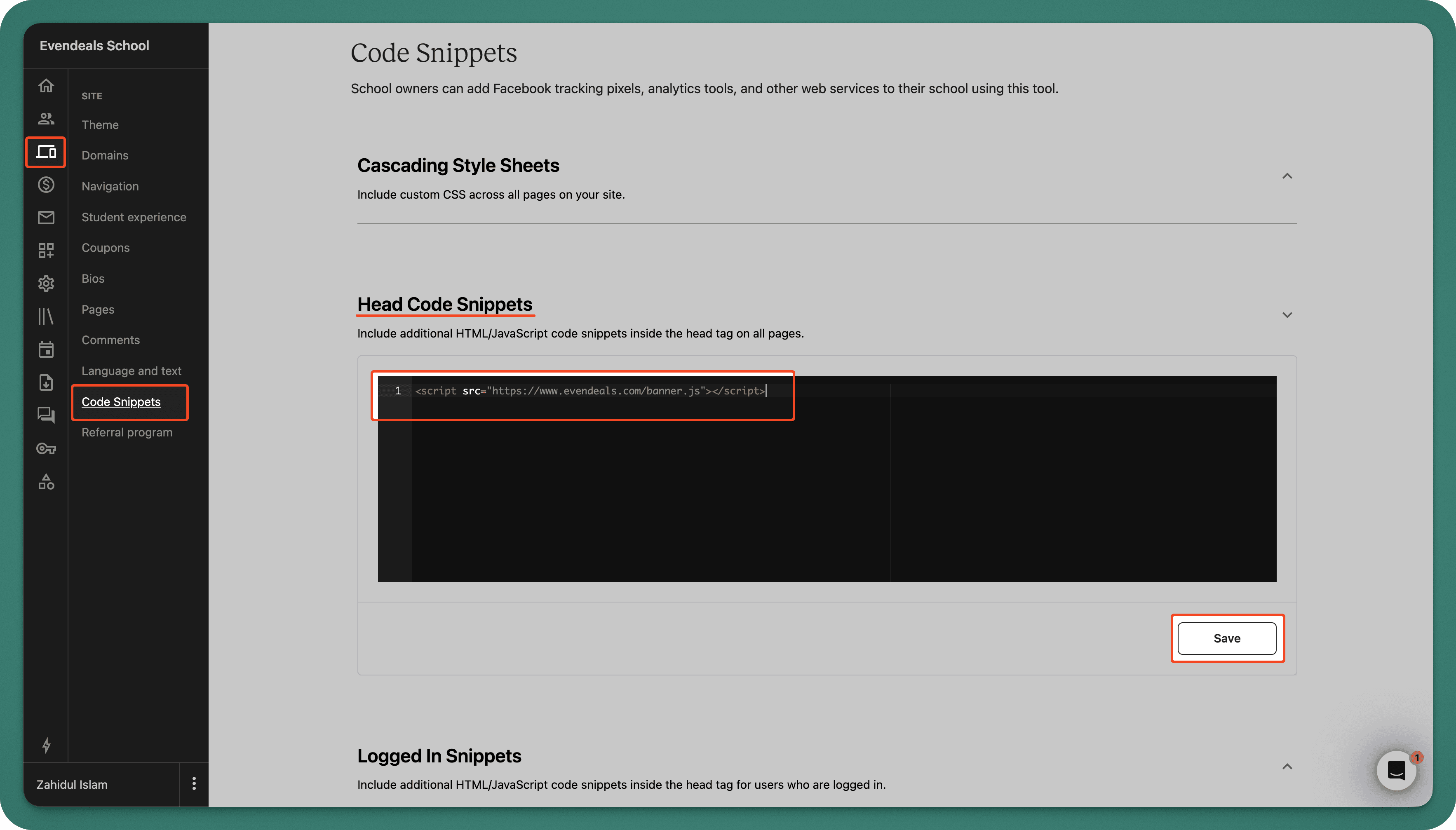
- In Teachable, go to Site → Code Snippets
- Find the Head Code Snippets section
- Paste the Evendeals script
- Click Save
Done! Your banner now shows to international visitors.
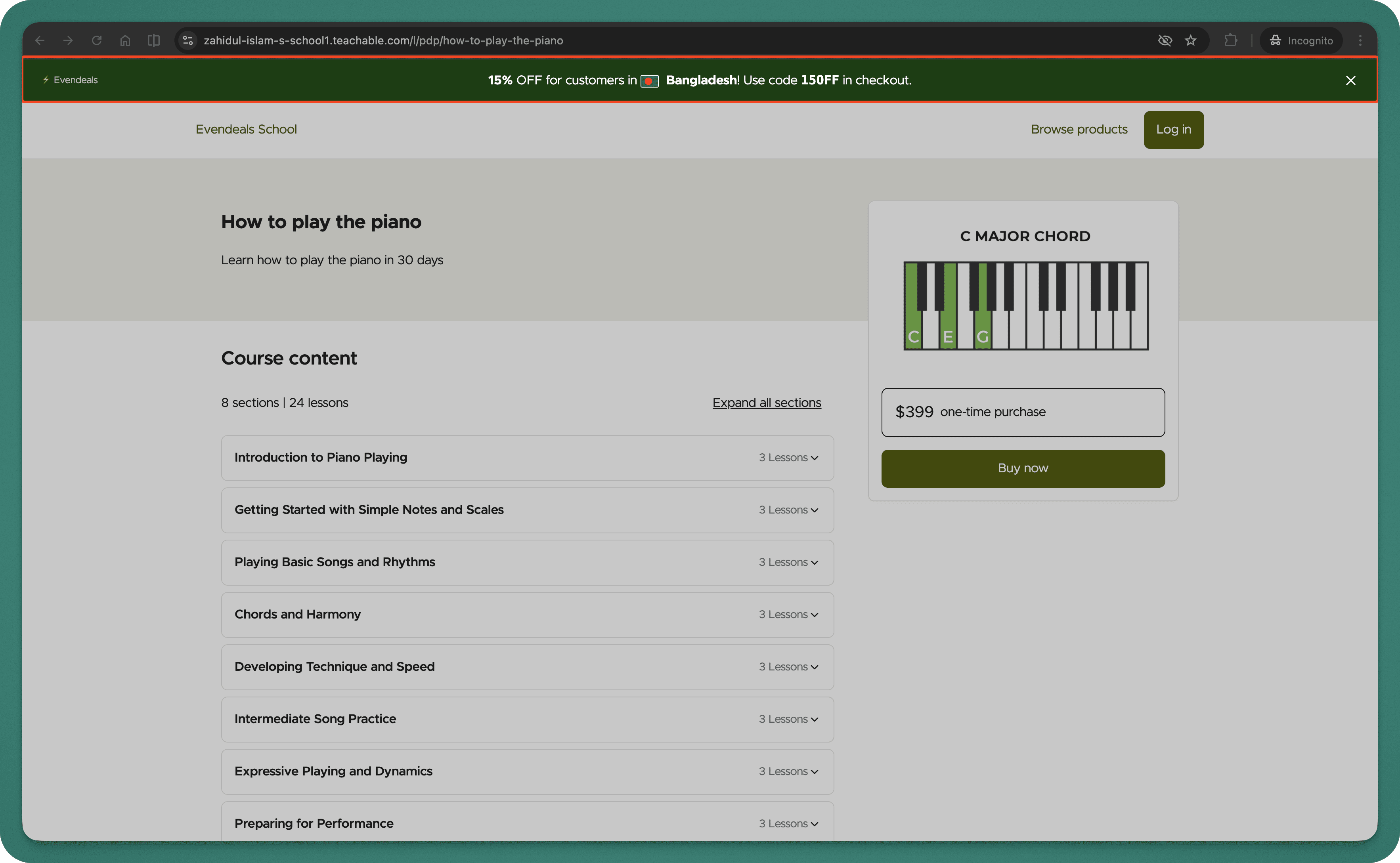
How It Works
When someone from India visits your Teachable course page:
- They see a banner: "Special pricing for students in India - Get 40% off"
- They copy the coupon code
- They use the coupon code at checkout
- They pay the discounted price
Someone from the US sees your regular price - no banner, no discount.
VPN Protection
People using VPNs to fake their location and get cheaper prices is a real problem. Evendeals (paid plans) automatically detects and blocks VPN users, so only people who actually live in those countries get the discounts.
What You Can Customize
- Which countries see discounts
- How much discount each country gets
- Banner colors and text
- Whether the banner has a countdown timer
- Which pages show the banner
Pricing
Evendeals: Free plan available, paid plans start at $99 one-time (not monthly)
The free plan lets you test it with basic features. If you make just 2 extra sales at $49 from countries that weren't converting before, you've covered the cost of the paid plan.
FAQ
Will this slow down my Teachable site?
No. The script is 5KB and loads asynchronously.
Can I show banners on specific course pages only?
Yes, you can target specific URLs in Evendeals.
What if I have multiple courses?
You can create different banners and coupon codes for different courses, or use one global coupon that applies to all courses.
Do I need to know code?
No. It's copy-paste installation.
Next Steps
Also see: Thinkific, Podia, EzyCourse, WordPress, Framer.
- Create your Teachable coupon codes for different regions
- Sign up at evendeals.com (free)
- Install the script in your Teachable code snippets
- Watch your international conversion rates increase
Most course creators see results within the first week. Students from India, Brazil, Southeast Asia, and Latin America are hungry for quality courses - they just need pricing that makes sense for their economy.
Ready to unlock international markets for your Teachable courses?
Try Evendeals Free