



WordPress Parity Pricing Plugin — Get Free
Install the Evendeals plugin on WordPress and show location-based discount banners to international visitors. Native WooCommerce auto-coupon integration, one-click setup, shortcode support, zero impact on site speed.
Version 1.1.4 · Tested with WordPress 7.1 · Requires WordPress 6.3+ · PHP 7.4+
Why Use the Plugin
Skip the manual script installation. The plugin handles everything.
One-Click Setup
Install the plugin, check one box in Settings, done. No code editing, no pasting script tags, no third-party plugins needed.
Shortcode Support
Use [evendeals] shortcodes to place discount info anywhere in your content. Show country name, discount amount, coupon code, or country flag inline.
Lightweight
Single deferred script from CDN. No database queries, no server-side processing. Zero impact on your Core Web Vitals.
WooCommerce Auto-Coupons
Native WooCommerce integration auto-creates and manages coupon codes. No manual setup — coupons rotate automatically to prevent sharing.
VPN, Proxy & Tor Protection
Paid plans automatically detect VPN, proxy and Tor users so only genuine visitors from lower-income countries receive discounts.
Native WooCommerce Integration
Fully automatic coupon management for WooCommerce stores.
How It Works
- 1.Connect your WooCommerce store in the Evendeals dashboard
- 2.Set discount percentages per country group
- 3.Coupons are auto-created in WooCommerce — no manual codes
- 4.Codes rotate automatically to prevent sharing
What You Get
- ✓Automatic coupon creation and deletion
- ✓Scheduled coupon rotation to prevent abuse
- ✓Per-country redemption analytics
- ✓Zero manual coupon management
- ✓Works alongside existing WooCommerce coupons
Setup Guide
Five steps, about 5 minutes.
Open the WordPress.org listing
Open the plugin on WordPress.org. From there, download the zip, then upload it from Plugins → Add New → Upload Plugin in your WordPress admin.
Open WordPress.orgEnable the plugin
Go to Settings → Evendeals and check "Show discounts to visitors". That's it on the WordPress side.
Create a deal in Evendeals
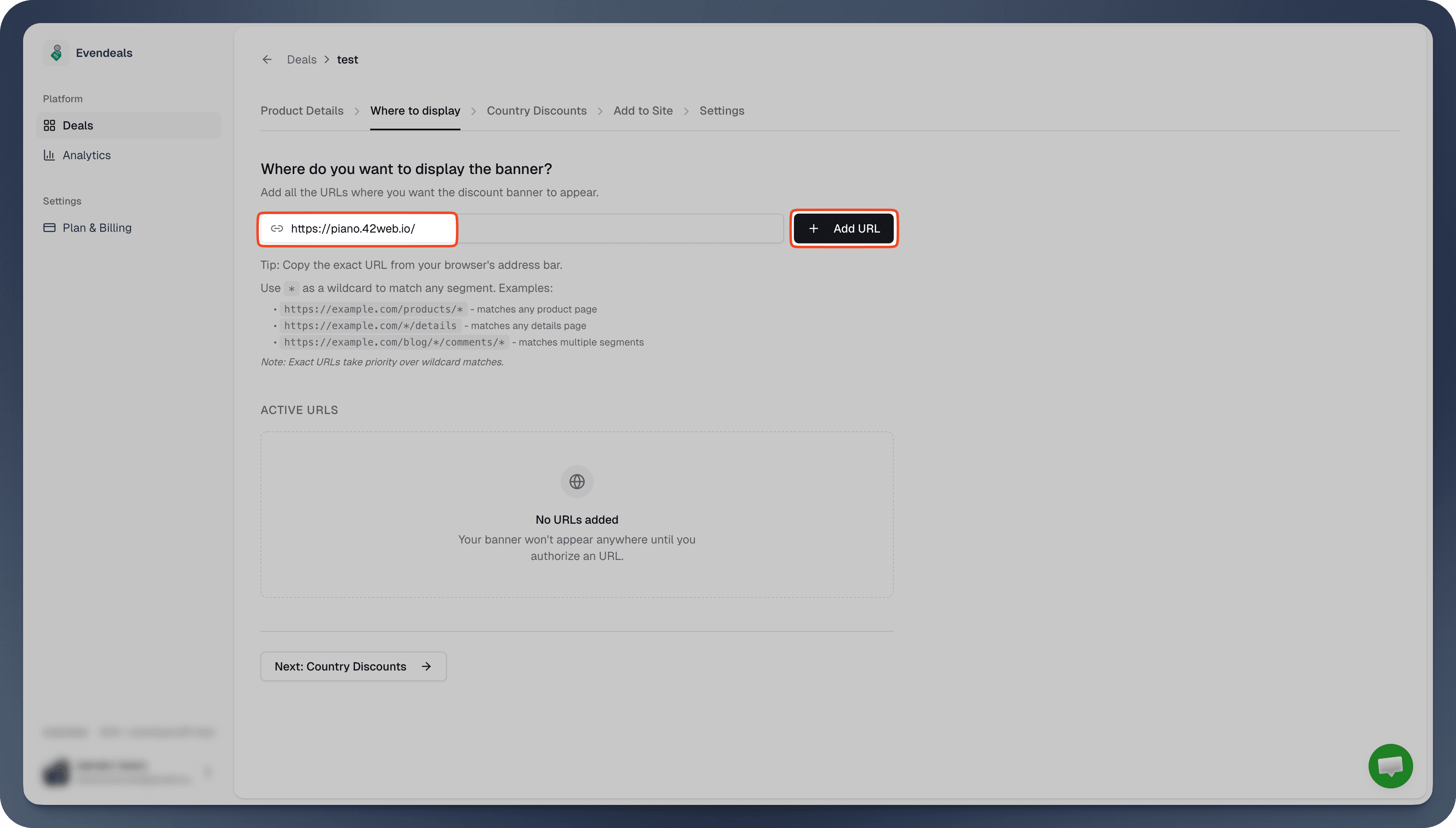
Sign up at evendeals.com (free), create a new deal, and add your WordPress page URL in the "Where to display" section.
Configure country discounts
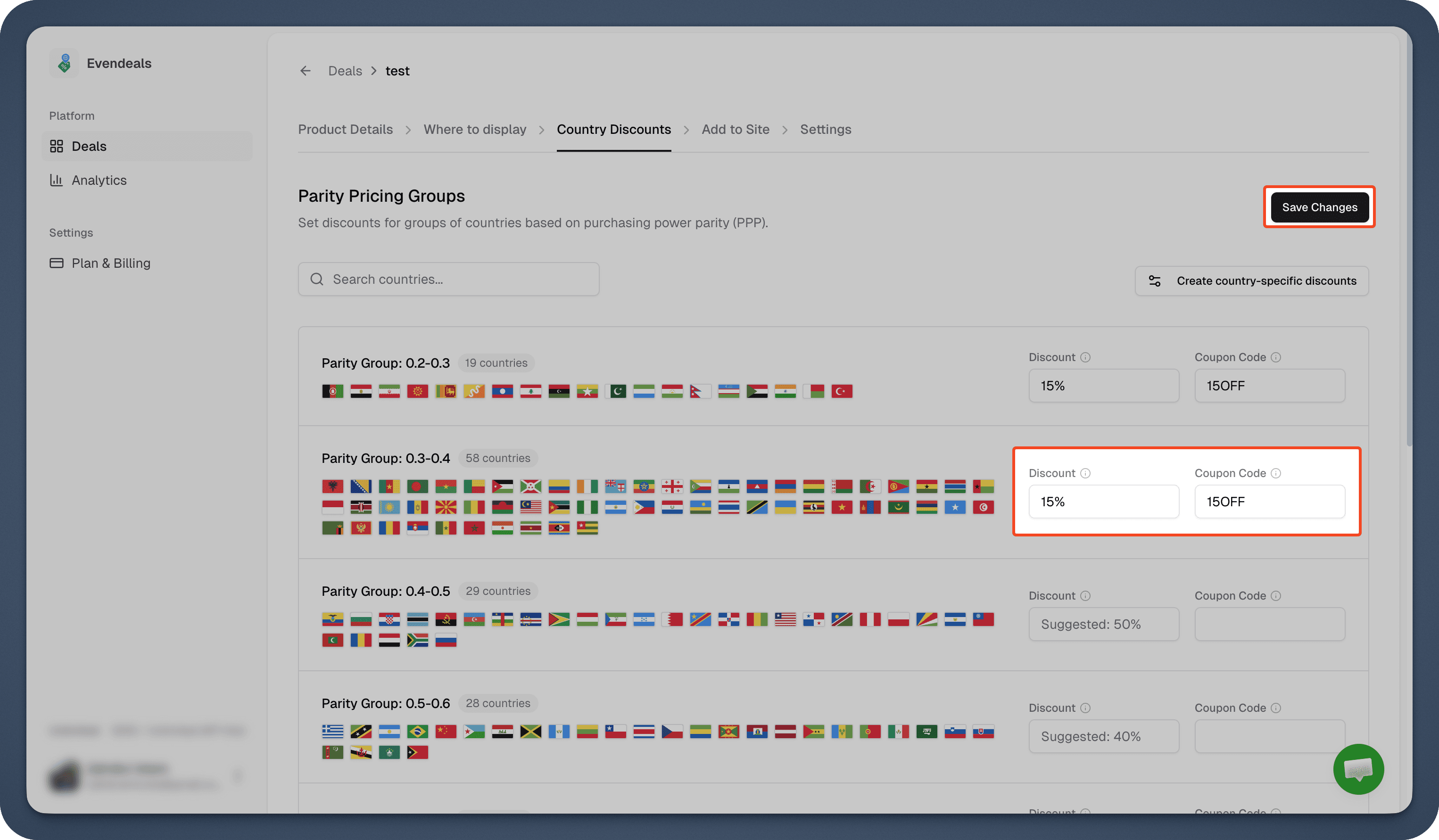
Set discount percentages for each country group. With WooCommerce, coupons are auto-created and managed — no manual codes needed. For other checkout plugins, reference your existing coupon codes.
Done — banner appears on your site
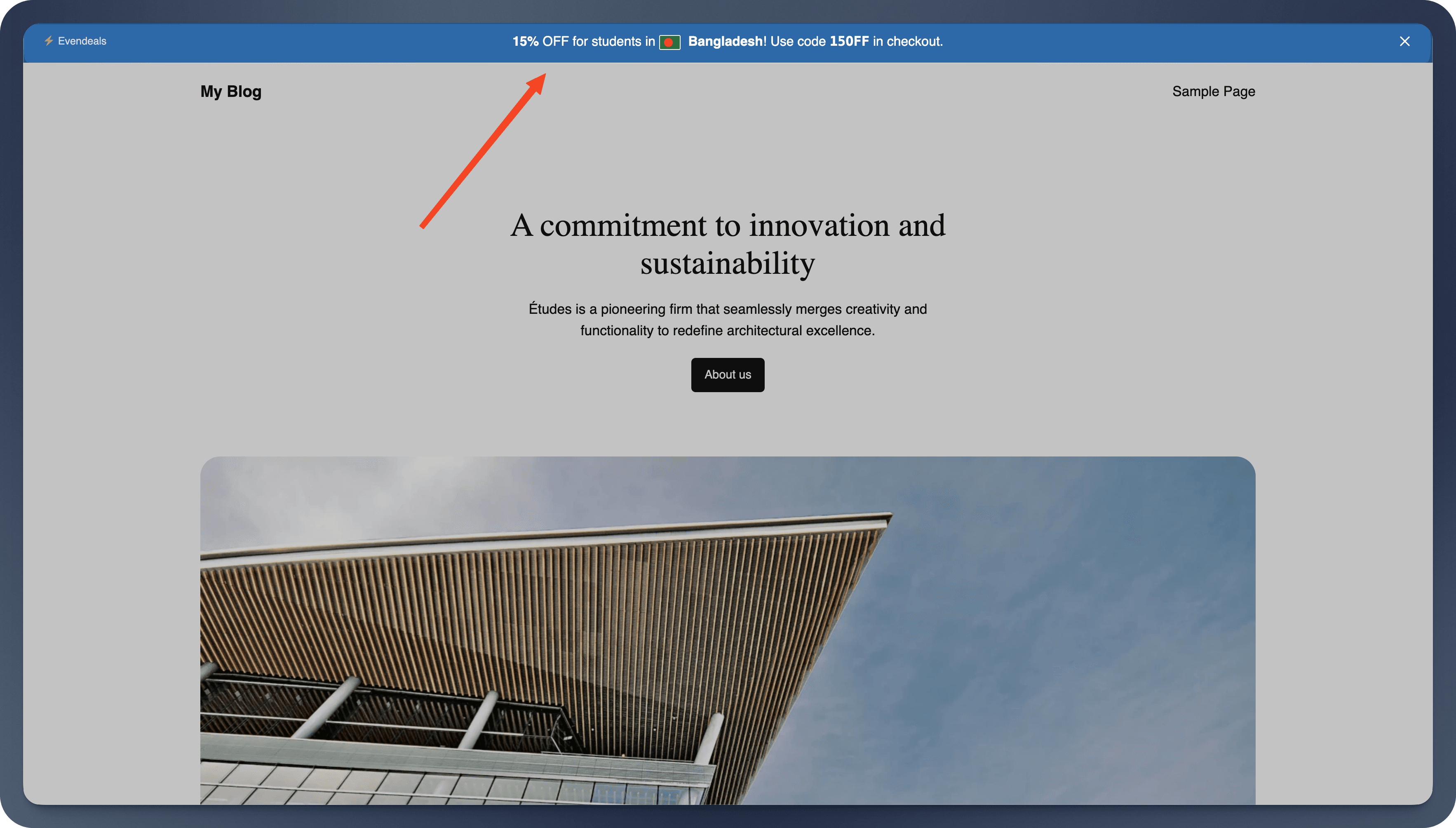
International visitors now see location-based discount banners. Visitors from high-income countries see your regular price.
Built-In Features
Flexible tools for displaying parity pricing on WordPress.
Shortcode Flexibility
Place [evendeals] anywhere to render the full set of discount placeholders, or use [evendeals type="coupon"] to show just the coupon code. Valid types: country, discount, coupon, flag.
Full Dashboard Control
All discount rules, page targeting, banner design, and analytics are managed from your Evendeals dashboard. The plugin just connects your WordPress site — no settings bloat.
WooCommerce Coupon Rotation
Auto-created WooCommerce coupons rotate on a schedule to prevent code sharing. Each visitor gets a unique, time-limited code applied at checkout.
Redemption Analytics
Track WooCommerce coupon redemptions by country. See which regions convert, total discount value, and per-country revenue impact from your dashboard.
Want the Full Walkthrough?
Our detailed WordPress guide covers every step with screenshots — including the native WooCommerce auto-coupon integration, customizing your banner, and advanced display modes.
Read the Full GuideFrequently Asked Questions
Common questions about the WordPress plugin.
Yes. Create a free account at evendeals.com and configure your discount rules there. The plugin connects your WordPress site to your Evendeals dashboard.
No. The plugin loads a single script with defer from a CDN. No database queries, no server-side processing. Zero impact on Core Web Vitals.
[evendeals] renders placeholder elements that banner.js fills with country name, discount amount, coupon code, and flag. Use [evendeals type="coupon"] for just the coupon code.
Yes. Configure page targeting in your Evendeals dashboard using the "Where to display" section. Target specific URLs or patterns like yoursite.com/pricing/*.
Yes. WooCommerce has a native integration — Evendeals auto-creates, rotates, and manages coupon codes directly in your WooCommerce store. No manual coupon setup needed. For LearnDash, MemberPress, and other plugins, create coupons manually and reference them in Evendeals.
When you enable the WooCommerce integration, Evendeals automatically creates percentage-discount coupons in your store for each country group. Coupons rotate on a schedule to prevent code sharing, and redemption analytics are tracked in your dashboard.
Do I need an Evendeals account?
Does this slow down my site?
What does the shortcode do?
Can I control which pages show discounts?
Does it work with WooCommerce, LearnDash, MemberPress?
How does WooCommerce auto-coupon work?


Start for free before you
lose another sale
Start showing location-based discounts today and turn international visitors into paying customers — in minutes, not months.